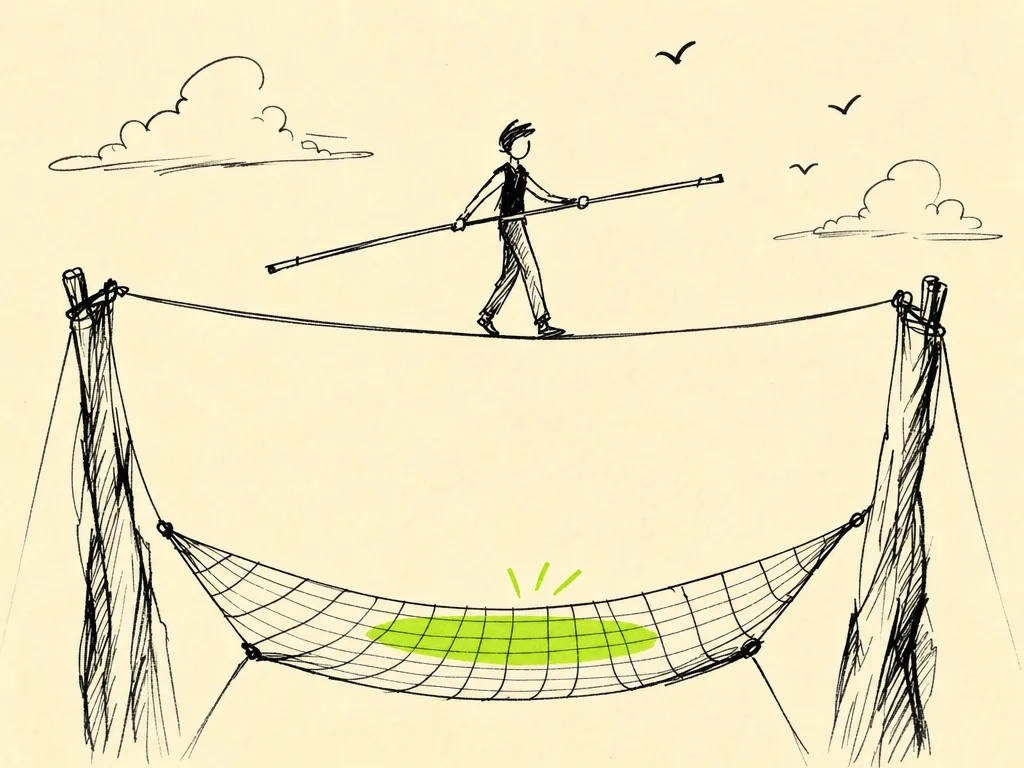
Guardrails, Tests & Reviews
Vibe coding lets you move fast. The danger is that you also move fast in the wrong direction — and because the AI sounds confident, you might not notice until something breaks in front of a real user. Guardrails are how you keep the speed without the crashes.
This chapter is not about turning your project into a bureaucracy. It's about a handful of cheap, automatic checks that catch the AI's mistakes (and yours) before they reach production. Set them up once, and they work in the background forever.
Why you need guardrails when directing AI
The AI doesn't know what your app is supposed to do. It pattern-matches to what looks plausible. That means it will happily:
- Delete a check it doesn't understand "to fix the error"
- Refactor three files when you asked it to change one
- Introduce a subtle bug that the happy path doesn't reveal
- Confidently tell you it's done when it never ran the code
Guardrails turn "trust me" into "prove it." The goal is a system where it's hard to break things by accident, so you can keep saying "just try it" without holding your breath.
Tests: your safety net
A test is code that checks other code does what you expect. Once written, it runs in seconds and tells you immediately if something regressed.
You don't need 100% coverage. Start by testing the things that would hurt most if they broke: login, payments, data that can't be regenerated, core business logic. The AI is excellent at writing tests — often better than at writing features, because the expected behavior is concrete.
Here's a prompt that works well:
Write tests for the calculateDiscount function in src/pricing.js.
Cover: a normal case, the zero/empty case, the maximum-discount
boundary, and one invalid input. Use the existing test setup in
this repo (check how other *.test.js files are structured).
Run the tests and show me they pass before you finish.
That last line matters. Always ask the AI to run the tests, not just write them. A test that was never executed is a guess.
A simple example of what it should produce:
import { calculateDiscount } from "./pricing.js";
import { describe, it, expect } from "vitest";
describe("calculateDiscount", () => {
it("applies a normal percentage discount", () => {
expect(calculateDiscount(100, 0.2)).toBe(80);
});
it("returns the full price when discount is zero", () => {
expect(calculateDiscount(100, 0)).toBe(100);
});
it("never discounts below zero", () => {
expect(calculateDiscount(100, 1.5)).toBe(0);
});
it("rejects a negative price", () => {
expect(() => calculateDiscount(-10, 0.2)).toThrow();
});
});
When you change a feature later, run the tests first. If they go red, you found the break before your users did. When the AI fixes a bug, ask it to add a test that fails on the old behavior — that way the bug can't quietly come back.
Type checking and linting: free mistakes caught
Two tools catch whole categories of errors with almost no effort on your part:
- Type checking (TypeScript,
mypy, etc.) catches "you passed a string where a number was expected" and "this value could be undefined." The AI loves to forget edge cases that types make impossible. - Linting (ESLint, Ruff, etc.) catches unused variables, unreachable code, and style drift. It keeps a codebase touched by AI from slowly turning to mush.
Set these up early and tell the AI to obey them: "Run the type checker and the linter, and fix anything they report before you call this done." Treat a clean type check as part of the definition of finished.
Scoping AI changes
The single biggest cause of AI-induced damage is letting it change too much at once. A 400-line diff across nine files is impossible to review and easy to hide a bug in.
Keep changes small and contained:
- Ask for one logical change at a time, not "while you're there, also..."
- Tell it explicitly: "Only touch
src/auth.js. Don't refactor anything else." - Commit working states often, so you always have a clean point to roll back to.
- When it proposes a big rewrite, ask it to break the work into steps you can review one by one.
Small scope makes the next step — reading the diff — actually possible.
Reading diffs critically
A diff is the list of exactly what changed: red lines removed, green lines added. Reading diffs is the highest-leverage habit in vibe coding, because it's where you catch the AI doing something you didn't ask for.
You don't have to understand every line. Scan for these red flags:
- Files you didn't expect to change. Why did a config file get touched?
- Deleted code. Did it remove a validation check, an error handler, or a test "to make it pass"?
- Secrets or hardcoded values. API keys, passwords, or URLs that shouldn't be in the code.
- Disabled checks. A skipped test, a commented-out guard, a
// @ts-ignore, or a loosened permission. - Scope creep. Changes far from what you asked for.
If anything looks off, ask: "Explain why you changed X — I didn't ask for that." Make the AI justify deletions especially. "It was causing an error" is a reason to understand the error, not to delete the check.
Review gates: a checklist before merging
A review gate is a short list of things that must be true before a change goes live. Run through it yourself, or have the AI confirm each item:
- I read the diff and understand what changed and why
- The change is scoped to what I actually asked for
- Tests pass (and new behavior has a test)
- Type check and linter are clean
- No secrets, debug logs, or commented-out code left behind
- No safety checks were quietly removed
- I tried the change myself, at least the happy path
If you can't check a box, you're not done.
CI basics: make the checks automatic
CI (Continuous Integration) is a robot that runs your checks every time you push code, so you can't forget to run them. Most platforms make this a single file. Here's a minimal GitHub Actions example:
# .github/workflows/ci.yml
name: CI
on: [push, pull_request]
jobs:
check:
runs-on: ubuntu-latest
steps:
- uses: actions/checkout@v4
- uses: actions/setup-node@v4
with:
node-version: 20
- run: npm ci
- run: npm run lint
- run: npm run typecheck
- run: npm test
Now every push gets linted, type-checked, and tested automatically. If anything fails, you see a red mark before the code can be merged. You can even ask the AI to write this file for your stack — "Add a GitHub Actions workflow that runs our lint, type check, and tests on every pull request."
Safe-by-default habits
Pull it together into reflexes that let you move fast without fear:
- Work on a branch, not directly on production. Branches are free; broken production is not.
- Commit small, working states often. Frequent commits make rollback trivial.
- Always ask the AI to run what it wrote — tests, the app, the type checker.
- Keep one terminal for the AI and one for yourself, so you can verify independently.
- Never let a change ship that you didn't read. Speed comes from good guardrails, not from skipping the review.
Guardrails don't slow you down — they're what let you say "yes, ship it" without a knot in your stomach. Set them up once, and the AI can sprint while the safety net catches the falls.
Harness Engineering
Everything above is a habit — something you have to remember to do. The next rung is to make those checks something the AI can't skip. That's a harness.
Think of a harness as a security checkpoint that sits between the agent and the real world. At every dangerous step it does one of three things: record what happened, warn you, or block the action outright. Before a command runs, before a file is written, when a prompt is submitted, on commit, on push — there's a gate. The agent can't walk around it, the way you might forget to run the tests at 2am.
Why make it mandatory? The whole bet of vibe coding is "let the AI sprint, you steer." That only pays off if the AI can't drive off a cliff while you blink. A harness moves your safety from vigilance (reading every diff, remembering every rule) to code (rules enforced automatically). For anything you'd put in front of a real user, that's not optional polish — it's what makes the autonomy safe.
A good harness follows a few principles worth knowing:
- Success quiet, failure loud — it says nothing when things are fine, so a warning still means something.
- Never auto-fix — it proposes, blocks, or warns; it doesn't silently "correct" the agent and hide the problem.
- Retire dormant rules before adding new ones — keep it lean and trusted, not a growing pile of stale checks.
- Config-driven — one engine, per-project settings, so it drops into any repo.
- Append-only logs — a tamper-evident record of what the agent actually did.
You don't have to build this from scratch. There are ready-made, drop-in harnesses — dancinlab/harness is one project-agnostic engine you can wire to a coding agent's tool lifecycle. Honestly: a harness doesn't make the AI correct. It makes the AI's mistakes cheap to catch — which, when you're moving fast, is most of the battle.